Try a draft order before you promise a date
- Available on
- Trial
- Pro
- Enterprise
- Who can do this
- Try a draft order and close the tryRoles: Administrator
Permission: order:write
- Try a draft order and close the tryRoles: Administrator
When a customer asks “can you make it by Friday?”, type the order as a draft and try it in a scenario: werkplan plans it as if it were submitted and says when it would finish against its due date. The try saves nothing: the order stays a draft, and the master plan stays as it is.
- Add the order as a draft, with the due date the customer asks for: see Add a production order. Don’t submit it.
- On the order’s page, open Actions and click Try in a scenario. werkplan opens the try and solves it at once.
- Read the result: the order Finishes on a day, against its due date, and is on time, late by so many hours, tight, or Not planned, and a planner can see why.
- Click Close. The try is removed, and you are back on the order.
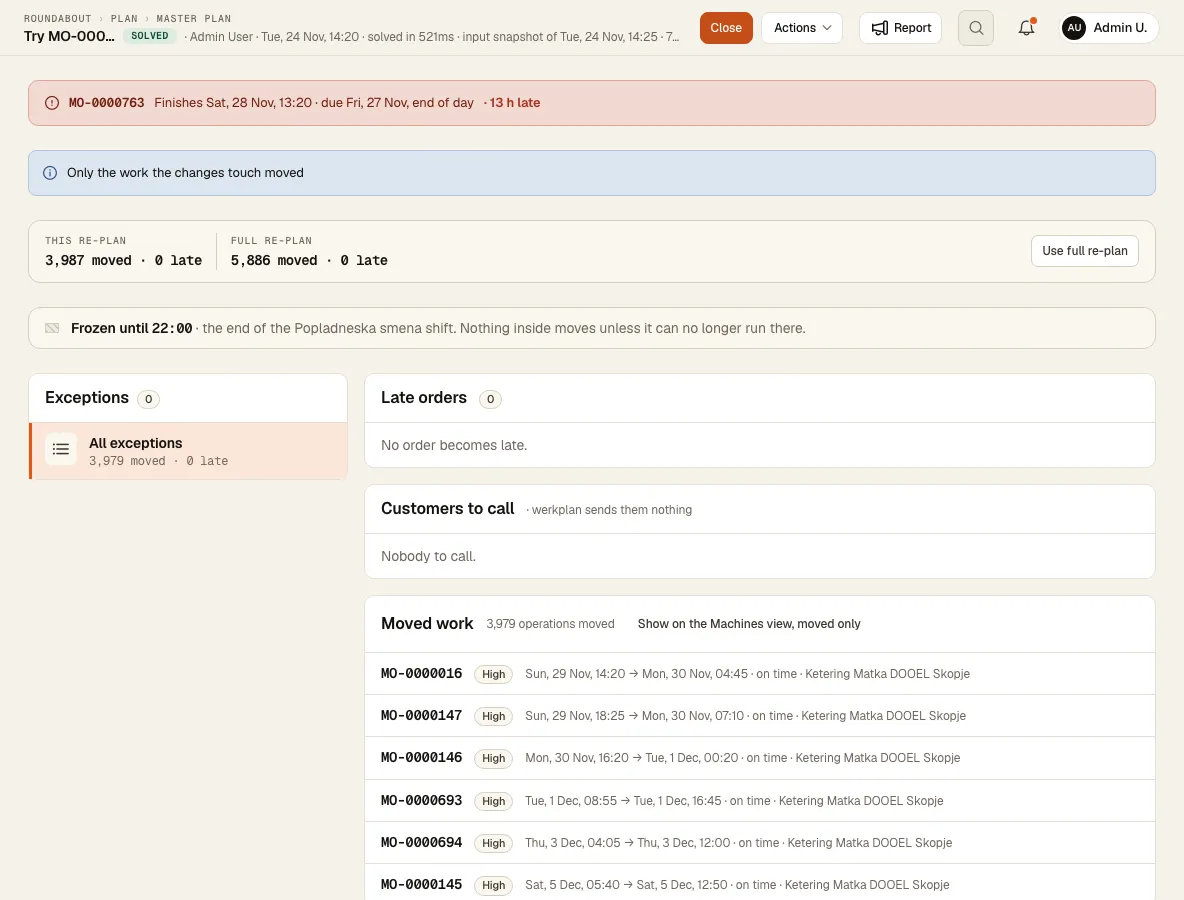
The try plans on today’s data, with the changes of the open re-plan if one is open. If the answer is good, submit the order (Submit for scheduling) once the customer confirms; the next plan a planner promotes schedules it. If it isn’t, try another due date or priority, or say a later date.
A try can’t be promoted, and it isn’t listed under Scenarios. werkplan removes a try nobody has touched for a day, overnight. See Scenario.
Still stuck? Write to support@example.com.