Notice period changes
- Available on
- Trial
- Pro
- Enterprise
- Who can do this
- Open this screenRoles: Administrator
Permission: schedule:publish - Export the listRoles: Administrator
Permission: schedule:publish
- Open this screenRoles: Administrator
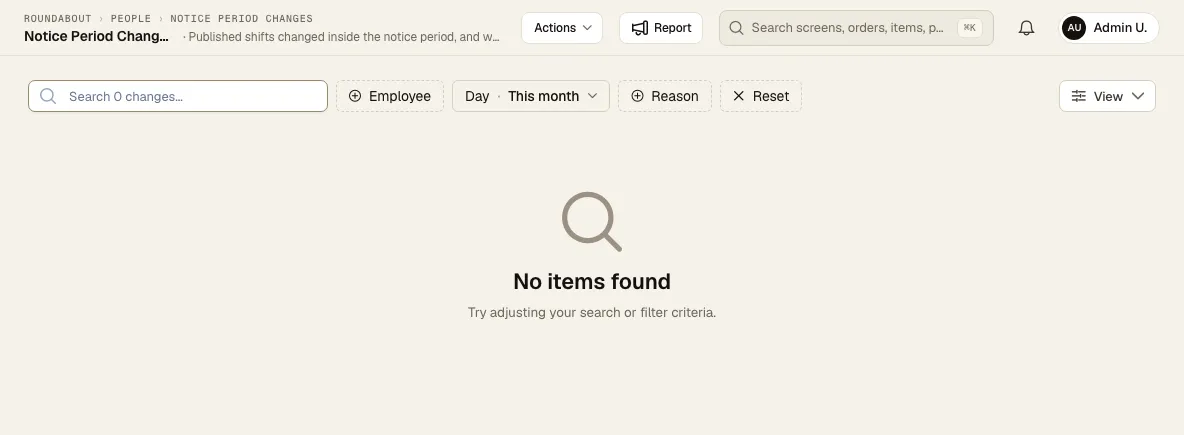
The Notice period changes screen lists every change made to a published shift inside your notice period: whose shift, on which day, what changed, why, and who made the change when. It is the record a labour inspection asks for, and Export CSV gives it to them as a file.
Only someone who may publish the workforce schedule opens it, as whoever publishes answers for the notice. By default that is the Administrator role.
What makes a change one
Section titled “What makes a change one”Your notice period, and the shortest notice inside it, are set under Schedule notice in your labour rules; with none set, nothing is listed. A change is listed when:
- it adds a shift to a published day, takes a published shift away, or changes it to another shift type, and
- the shift starts inside the notice period: sooner after the change than the notice period.
Inside the notice period, such a change needs a reason, and inside the shortest notice the emergency override as well: see Change a published shift at short notice. werkplan lists it with its reason. Changing a shift type’s times with Edit days and times moves its published shifts, and asks for the reason the same way: each shift it moves inside the notice period is listed with its times before and after.
These are listed too, though nobody is asked for a reason:
- an absence that takes a published shift away inside the notice period, with the reason Absence, and withdrawing it, which puts the shift back, with the same reason;
- deactivating an employee, which takes their shifts away, with the reason Employee deactivated.
Not listed: an approved swap, a shift that has already started, and a shift made longer, over its own times or by changing it to a shift type whose times hold the old one’s and add working time only.
The list
Section titled “The list”The list opens on this month, by the day of the shift, earliest first. Change the days with Day, filter by Employee and Reason, and search by employee, note or who made the change.
| Column | What it shows |
|---|---|
| Employee | Whose shift changed |
| Day | The day of the shift |
| Change | The shift before and after, with their times, or the one shift added or taken away |
| Reason | Unforeseen, Urgent need, Other, Absence or Employee deactivated |
| Note | The words given with Other |
| Override | Emergency override, when the change was made inside the shortest notice |
| By and At | Who made the change, and when |
Each change keeps the employee’s name and number and the shift types’ names, codes and times as they were when it was made. So it reads the same after the employee is renamed or anonymised, or a shift type is changed or deleted. werkplan doesn’t delete an employee who has a change listed.
On the Schedule screen, a cell whose shift changed inside the notice period has a fold in its corner, and clicking it lists the changes under Changed inside the notice period, or Changed twice inside the notice period and so on.
Export it
Section titled “Export it”Open Actions and click Export CSV: a file of every change on the days the list shows, whatever the other filters. Its columns are Employee number, Employee, Day, Shift before, Shift before code, Shift before times, Shift after, Shift after code, Shift after times, Reason, Note, Emergency override, Changed by and Changed at.
Still stuck? Write to support@example.com.