Coverage
- Available on
- Trial
- Pro
- Enterprise
- Who can do this
- Open this screenRoles: Administrator, Shift supervisor, Employee
Permission: schedule:read
- Open this screenRoles: Administrator, Shift supervisor, Employee
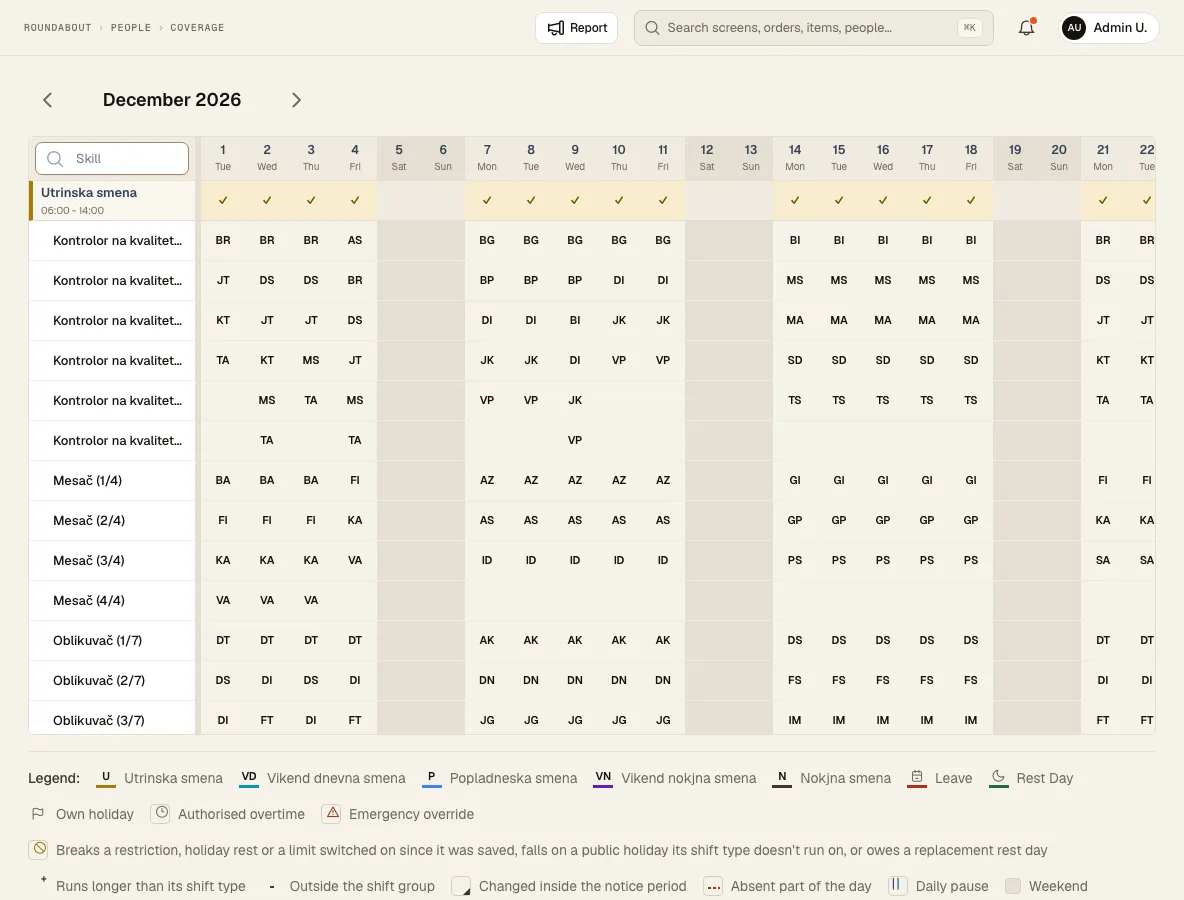
The Coverage screen shows the workforce schedule by shift type, a month at a time: for each shift on each day, whether it meets its coverage goals and who fills each seat. You read it here and change shifts on the Schedule screen.
What it shows
Section titled “What it shows”Each shift type has, from the top:
- its heading row: its name and times, and on each day how many seats it is short, such as -1, or a check mark when none is. The colour says whether the shift is Match, Underbooked or Overbooked;
- a row per seat of each training its coverage goals ask for: the initials of the employee seated there, or a dash for a seat nobody fills;
- Extra / Rest: how many work the shift beyond its goal, and how many of its shift group have a rest day.
A day your plant closes on is striped and holds no figures. Move between months with the arrows, as on the Schedule screen.
Click a heading cell to see that shift’s figures: its Headcount and each training, seated against the goal, with the difference.
Type a training in Skill to keep only its rows in each shift type. A shift type that needs none of the trainings you typed drops out.
How a shift is judged
Section titled “How a shift is judged”A shift’s coverage goals say how many employees it needs in all, its headcount, and how many of them must hold each training. The employees working the shift are seated on the trainings so that as many seats as possible are filled, each on one training at most; the rest count toward the headcount only. A shift is short by the larger of two figures: the seats of all its trainings left empty, or its headcount less everyone working it. A surplus on one training never makes up for another.
The goals come from each shift type’s requirements, or, where a shift type has no headcount, from a share of the employees your company shift policy seats; a staffing requirement your workforce planning follows replaces them on its date. See How many people a shift needs and the Demand screen.
Still stuck? Write to support@example.com.