Products
- Available on
- Trialup to 50 products
- Proup to 500 products
- Enterprise
- Who can do this
- Open this screenRoles: Administrator, Employee
Permission: product:read - Add, change, archive or restore a product, or import products, variants, bills of materials or routingsRoles: Administrator
Permission: product:write - Delete a productRoles: Administrator
Permission: product:delete
- Open this screenRoles: Administrator, Employee
The Products screen lists the products you make. A product holds what its production orders are planned with: its routing, the steps it is made in, and its bill of materials, what one unit is made from.
A product is a family, such as Rye bread. Its variants are what you sell, stock and order, such as Rye bread 500 g, each under its own SKU and in a packaging of its own. Every variant runs the product’s routing and uses its bill of materials, unless you change them for that variant. A product’s page shows all of this: see Product and Variant.
Your subscription tier caps how many products you can have: up to 50 on Trial and 500 on Pro, and as many as you like on Enterprise. Every product counts, archived ones too; variants don’t count. At the cap, werkplan refuses New product and Duplicate, and offers Upgrade. An import of products isn’t held to the cap.
The list
Section titled “The list”The list opens on Active, the products in use; Archived shows the inactive and discontinued ones. It shows each product’s Name, SKU, Status, Description and when it was Created. Show it as Cards or as a Table, search it by name, SKU or description, and filter it by Name, SKU and Created.
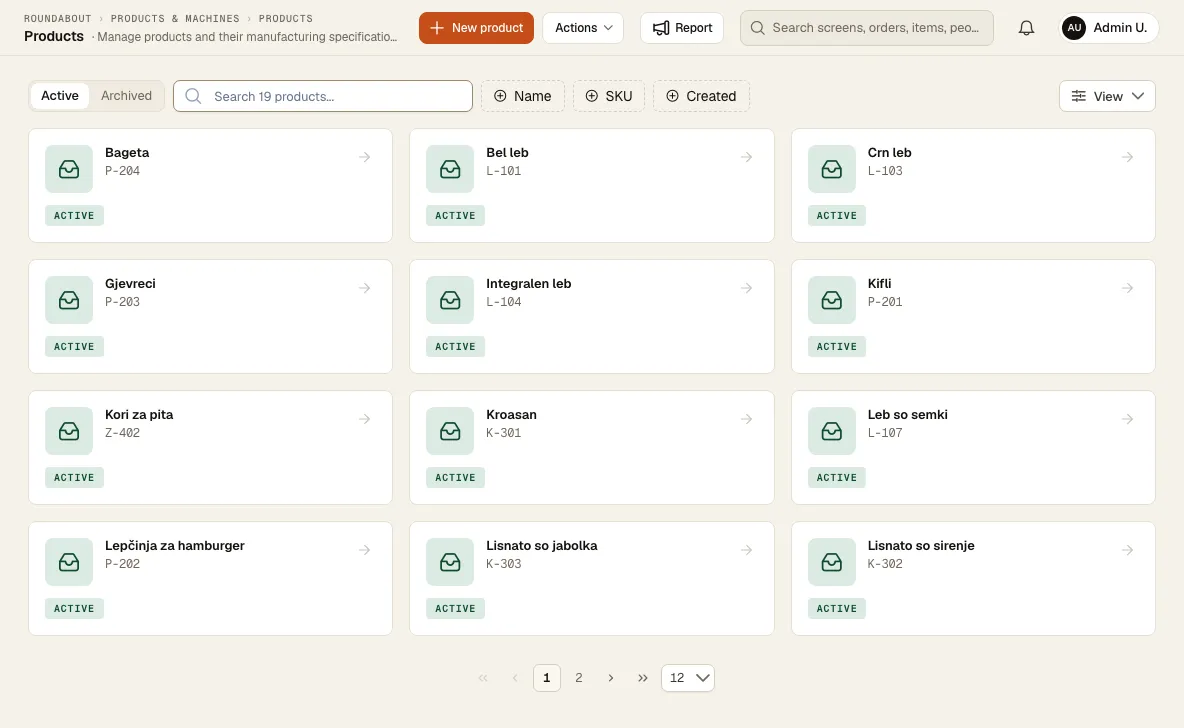
Click a product to open its page. On a card, Archive makes an active product inactive, and Restore makes an archived one active again. Select products on their cards to Archive selected, Restore selected or Delete selected at once. Archiving keeps a product’s routings, bill of materials and variants, and its variants keep their own statuses: see Product statuses.
Actions exports the list as a CSV file, and imports from CSV files you check first: Import products…, Import variants…, Import BOM lines…, Import routings… and Import additional employees…. A row whose key matches a record updates it, such as a product’s SKU.
Add a product
Section titled “Add a product”- Click New product.
- Enter a Name: the family’s name, such as Rye bread. Each variant has a name of its own.
- Enter a SKU that no other product has. An import of products updates the product with the same SKU.
- If you like, enter a Description for your team. No document prints it.
- Leave Status at Active. Only active products are offered when you give a machine a capacity or a changeover.
- Click Create product.
A product starts with no variants, no bill of materials and no routing. Open it and give it:
- a routing, and make it active, so its orders are planned: see Give a product its routing;
- a bill of materials, so its orders know what material they need: see Set up a bill of materials;
- at least one variant, so it can be ordered: see Variant.
The machines of each step’s equipment type also need a capacity for the product, or a default one, before work can be planned on them: see Equipment.
Delete a product
Section titled “Delete a product”On the product’s page, open Actions and click Delete, or select it and click Delete selected. werkplan doesn’t delete a product that has variants, archived ones included. From its page, for an active product, it offers Archive instead; Delete selected keeps such a product and counts it as kept.
Still stuck? Write to support@example.com.