Fairness
- Available on
- Trial
- Pro
- Enterprise
- Who can do this
- Open this screenRoles: Administrator, Shift supervisor, Employee
Permission: schedule:read - Export the reportRoles: Administrator, Shift supervisor, Employee
Permission: schedule:read
- Open this screenRoles: Administrator, Shift supervisor, Employee
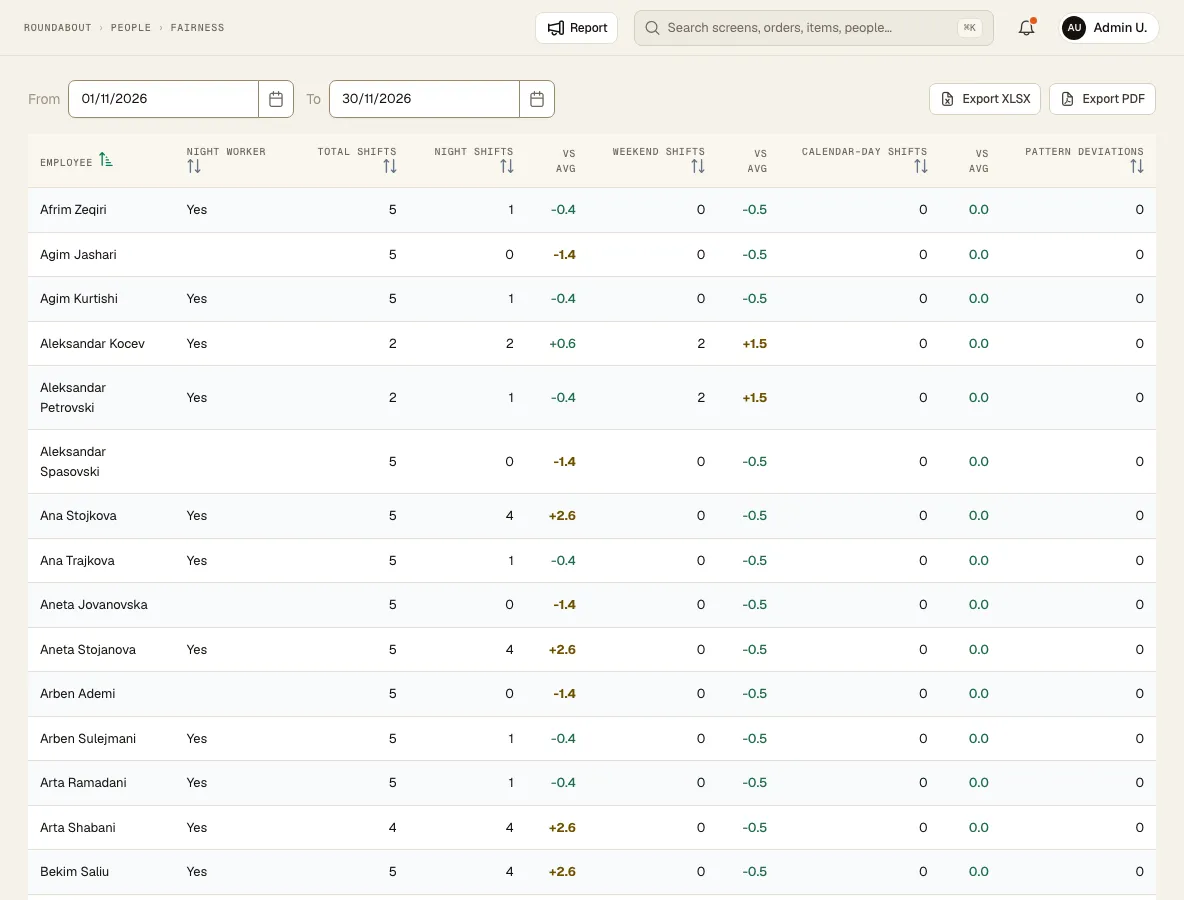
The Fairness screen counts, for each active employee, the shifts they work from From to To in the workforce schedule, and how far their night, weekend and holiday shifts are from the team’s average. It shows who carries more of the unsocial shifts than others, and who is a night worker.
What it counts
Section titled “What it counts”The period is this month to begin with; choose another with From and To, up to 366 days. Every active employee is listed, with these columns:
| Column | What it counts |
|---|---|
| Night worker | Yes for an employee with a night shift in the period. Where your labour rules read the national night-worker test, also for one whose shift group holds a night shift type on a day of the period |
| Total Shifts | Their shifts in the period, rest days left out |
| Night Shifts | Their shifts of a night shift type |
| Weekend Shifts | Their shifts on a Saturday or a Sunday |
| Calendar-Day Shifts | Their shifts on a date of a holiday calendar assigned to them or to your organisation |
| vs Avg | Beside each of the three counts before it: their count less the average of every employee listed |
| Pattern deviations | Their shifts that differ from what their rotation has for that day |
A vs Avg figure under 1 either way is green, up to 3 amber, and beyond 3 red. Every shift in the period counts, published or not.
Export XLSX downloads the report as a spreadsheet, with a last row of the team’s averages, and Export PDF as a PDF. Nothing changes.
Use it
Section titled “Use it”Read it before you publish a period you planned. werkplan’s planner spreads each shift type as evenly as it can over the employees who work it, counting their last four weeks too, but shifts set by hand, swaps and filled gaps can tip the balance. When one employee’s vs Avg runs red, give their next night or weekend shift to someone below the average on the Schedule screen, or when you fill a coverage gap. The Night worker column tells you who the night-work limits of your labour rules hold for in the period.
Still stuck? Write to support@example.com.