Quotes
- Available on
- Trial
- Pro
- Enterprise
- Who can do this
- Open this screenRoles: Administrator, Employee
Permission: order:read - Make a quote, add its lines, send it, accept it or decline itRoles: Administrator
Permission: order:write
- Open this screenRoles: Administrator, Employee
The Quotes screen lists what you have offered customers and what became of each offer. Here you make a quote, and from its page send it, and accept it into a sales order or record that the customer declined.
A quote is an offer and promises nothing: werkplan plans nothing for it and counts nothing of it as demand. Only the sales order you accept it into, once you confirm that sales order, raises production.
The list
Section titled “The list”The list shows each quote’s Quote #, Customer, Status, Value, Valid until date and Created date. Show it as Cards or as a Table, search it, and filter it by Quote #, Customer, Status, Valid until and Created.
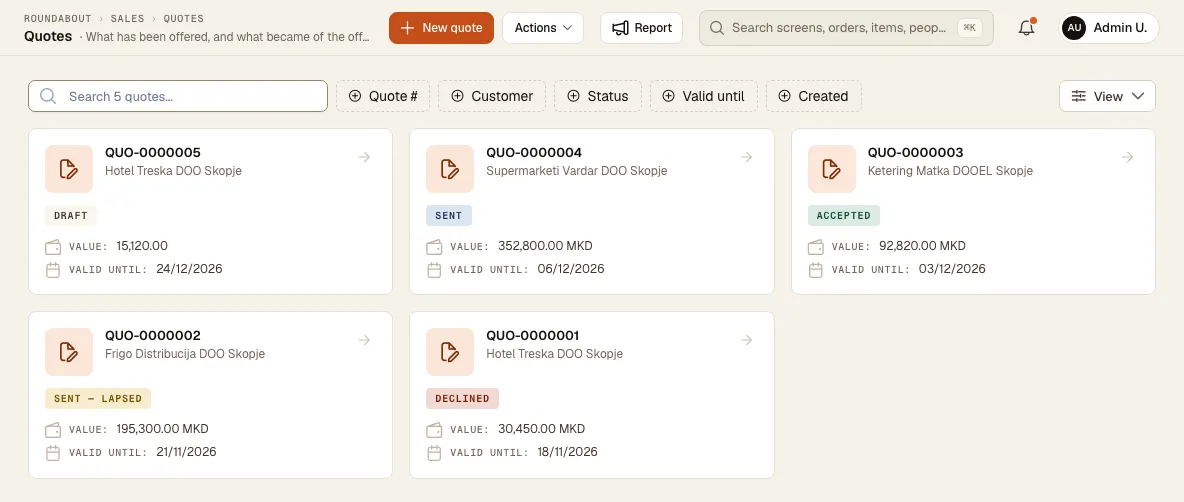
A sent quote whose Valid until day has passed reads Sent — lapsed: it can no longer be accepted. A quote with no Valid until day stands until you decline it; its card reads No expiry.
Click a quote to open its page: see Quote.
Make a quote
Section titled “Make a quote”- Click New quote.
- Choose the Customer. Only active customers are listed; the + beside the picker adds one.
- If you like, choose the day it is Valid until: it can’t be accepted after that day. Leave it empty for an offer with no end.
- If you like, enter Their reference, the customer’s request number. Accepting the quote copies it to the sales order and its delivery note.
- Click Create quote.
werkplan opens the quote, a Draft. Add its lines, then send it: see Quote.
Still stuck? Write to support@example.com.