Swap requests
- Available on
- Trial
- Pro
- Enterprise
- Who can do this
- Open this screenRoles: Administrator, Shift supervisor, Employee
Permission: schedule:read - Withdraw a swap requestRoles: Administrator, Shift supervisor
Permission: schedule:write - With schedule:write, approve or reject a swap requestRoles: Administrator
Permission: swap:approve - With schedule:write and swap:approve, approve a swap you asked for yourselfRoles: Administrator
Permission: workforce:admin
- Open this screenRoles: Administrator, Shift supervisor, Employee
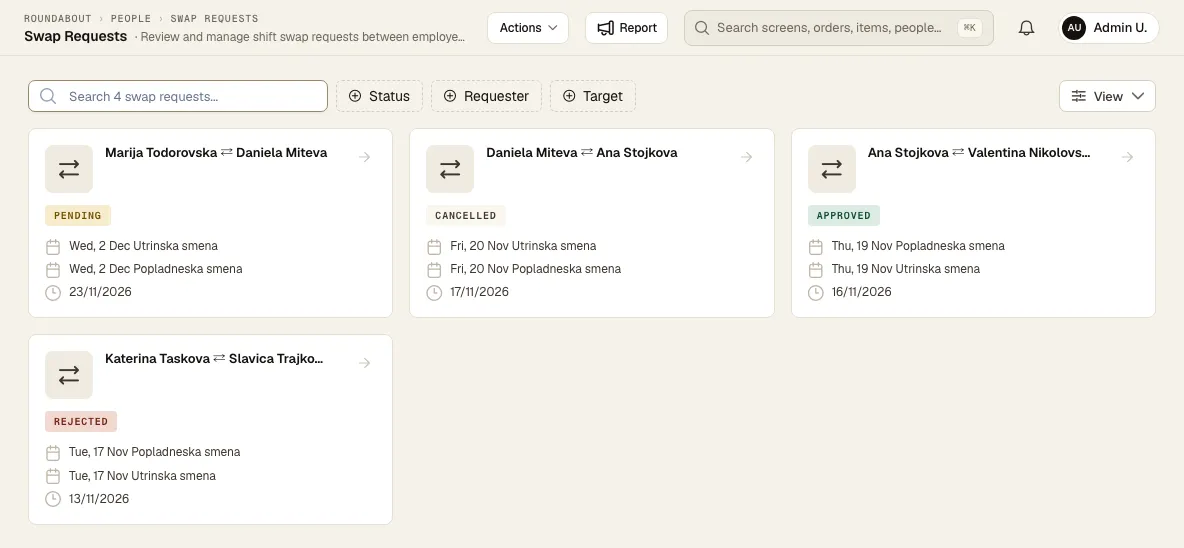
The Swap requests screen lists the swap requests: two employees who would exchange their shifts of one day. You ask for a swap on the Schedule screen, and someone who decides swaps approves or rejects it here.
The list
Section titled “The list”Each request names the employee who gives a shift away and the one who would take it, Marija Todorovska ⇄ Daniela Miteva, with its status, each one’s day and shift, and the day it was asked for. The newest request comes first.
Under View, show the list as Cards or as a Table, whose columns are Status, Requester, Date, Shift, Target, Date, Shift and Requested. Search it by either employee’s name, and filter it by Status, Requester and Target.
A pending request offers its actions as buttons on its card or row, each named when you point at it:
- Approve and Reject, for someone with both
schedule:writeandswap:approve; - Withdraw request, for someone with
schedule:write.
A request’s details
Section titled “A request’s details”Click a request to open Shift swap request: the Requester and the Target, each with their Employee, Date and Shift, and the request’s Status. Under them, what werkplan found when the swap was asked for:
- Neither shift breaks a working-time limit.
- This swap breaks working-time limits: each employee under the shift they would take, with each limit it breaks and the figures, or Within all limits. A shift outside the employee’s shift group that day is named under it too.
- This swap puts a shift outside a shift group, when one of the shifts isn’t of the employee’s shift group that day and no limit is broken.
- The working-time check is not shown for this request, when werkplan has no check to show.
On a pending request, someone who decides swaps sees Reject and Approve. Approve checks everything again, as it stands then: see Approved.
Who hears of a request
Section titled “Who hears of a request”Everyone with swap:approve is notified of each request, with New swap request and the two names. Once it is approved or rejected, the user accounts linked to the two employees are told, or, when neither has one, everyone with swap:approve. Whoever decided it isn’t told of their own decision.
See Swap two employees’ shifts for the steps.
Still stuck? Write to support@example.com.