Role
- Available on
- Trial
- Pro
- Enterprise
- Who can do this
- Open a role's page, make a role, rename it and change its permissionsRoles: Administrator
Permission: role:write - Delete a role of your own, beside role:writeRoles: Administrator
Permission: role:delete - Give a user a roleRoles: Administrator
Permission: user:write
- Open a role's page, make a role, rename it and change its permissionsRoles: Administrator
A role is a named set of permissions, such as inventory:write to receive, move and count stock. Every user holds one or more roles, and may do what any of them allows: their permissions add up.
You open a role from the Roles tab of the Access screen, or from the Roles panel of a user’s page.
What its page shows
Section titled “What its page shows”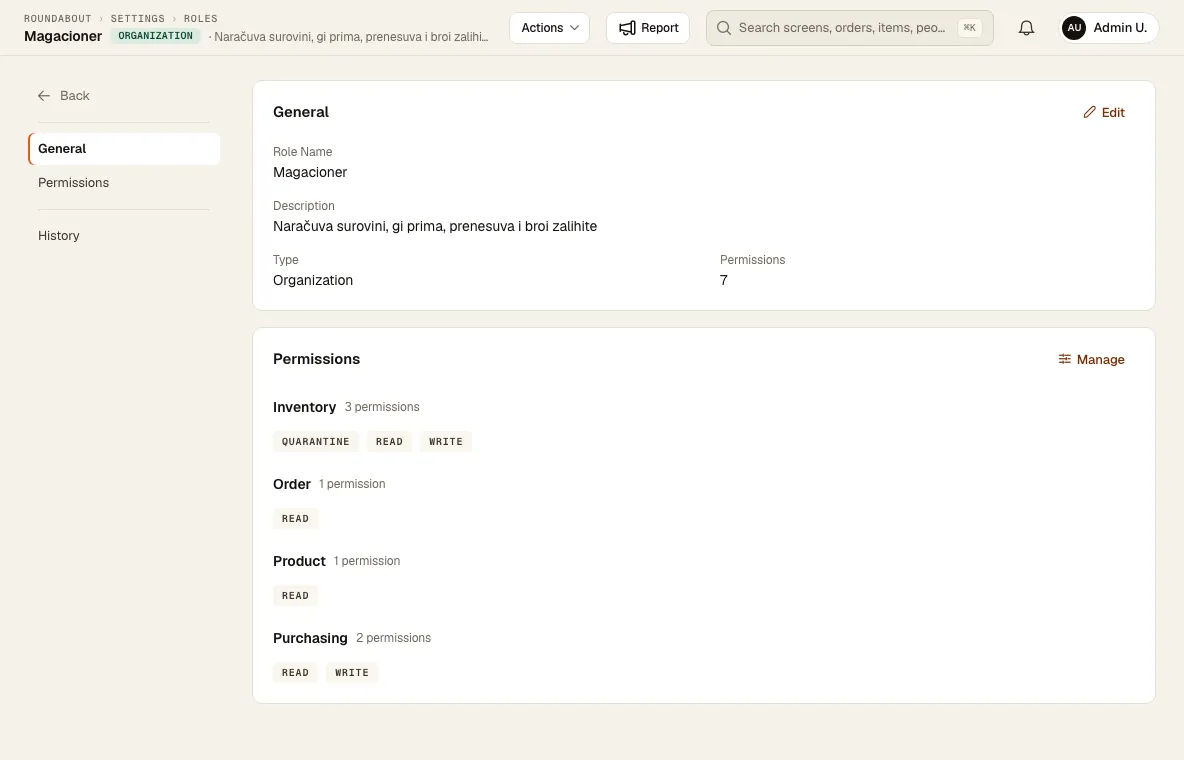
- General: the role’s Role Name, Description, Type and how many Permissions it holds. Edit renames it or changes its description; its users keep it.
- Permissions: what its holders may do, grouped by what each permission guards, such as Inventory or Purchasing, each shown by its action: read, write, delete or another. Manage chooses them, or Choose permissions while it holds none. Everyone with the role has the changed set from their next action in werkplan; the menu follows once they reload the page.
- History: when the role was created and last updated, and by whom.
Delete is in the page’s actions for a role of your own. Its users lose it, and with it what only this role let them do.
Two types
Section titled “Two types”- System: the five roles every organisation starts with. Nobody can rename them, change their permissions or delete them, so they always mean the same in every organisation.
- Organization: a role someone in your organisation made with New role. It can be changed and deleted.
The five system roles
Section titled “The five system roles”| Role | Its permissions |
|---|---|
| Administrator | Every permission there is for an organisation |
| Shift supervisor | exception:report, schedule:write, schedule:read, employee:read and shift:read |
| Employee | Every read permission, such as order:read, except operator:read |
| Shop floor terminal | shopfloor:operate, shopfloor:jobs and shopfloor:report |
| Warehouse terminal | shopfloor:operate, shopfloor:receive and shopfloor:pick |
werkplan has no role for a planner, a buyer, a salesperson or a warehouse clerk. A planner usually gets Administrator. For the others, make a role of your own with the permissions the job needs: see Make a role of your own and the pages by job, such as Warehouse clerk.
A terminal role on a user makes that account a terminal’s: it lets the device stay signed in through a shift. Give it only to a device’s account: see Set up a shop-floor terminal.
What werkplan refuses
Section titled “What werkplan refuses”- A role name another role of your organisation has.
- Renaming, changing or deleting a system role.
- Taking the Administrator role from the last active user who holds it.
Still stuck? Write to support@example.com.