Balances
- Available on
- Trial
- Pro
- Enterprise
- Who can do this
- Open this screenRoles: Administrator, Employee
Permission: inventory:read
- Open this screenRoles: Administrator, Employee
The Balances screen lists every balance of stock: how much of one item lies in one location, in one lot and one bin. Where the Stock screen adds an item’s stock up, this screen shows where each part of it is, and how much of each part is free.
The menu lists it under Stock & buying, among the details. Each stock movement adds to or takes from one balance or more, and a balance is kept, at zero, once its stock has gone.
The list
Section titled “The list”Under Current stock levels, each balance shows its Material, Location, what is Available, On hand and Reserved, what is Quarantined, its Lot and its Bin. Show it as Cards or as a Table, search it, and sort it by most of its columns.
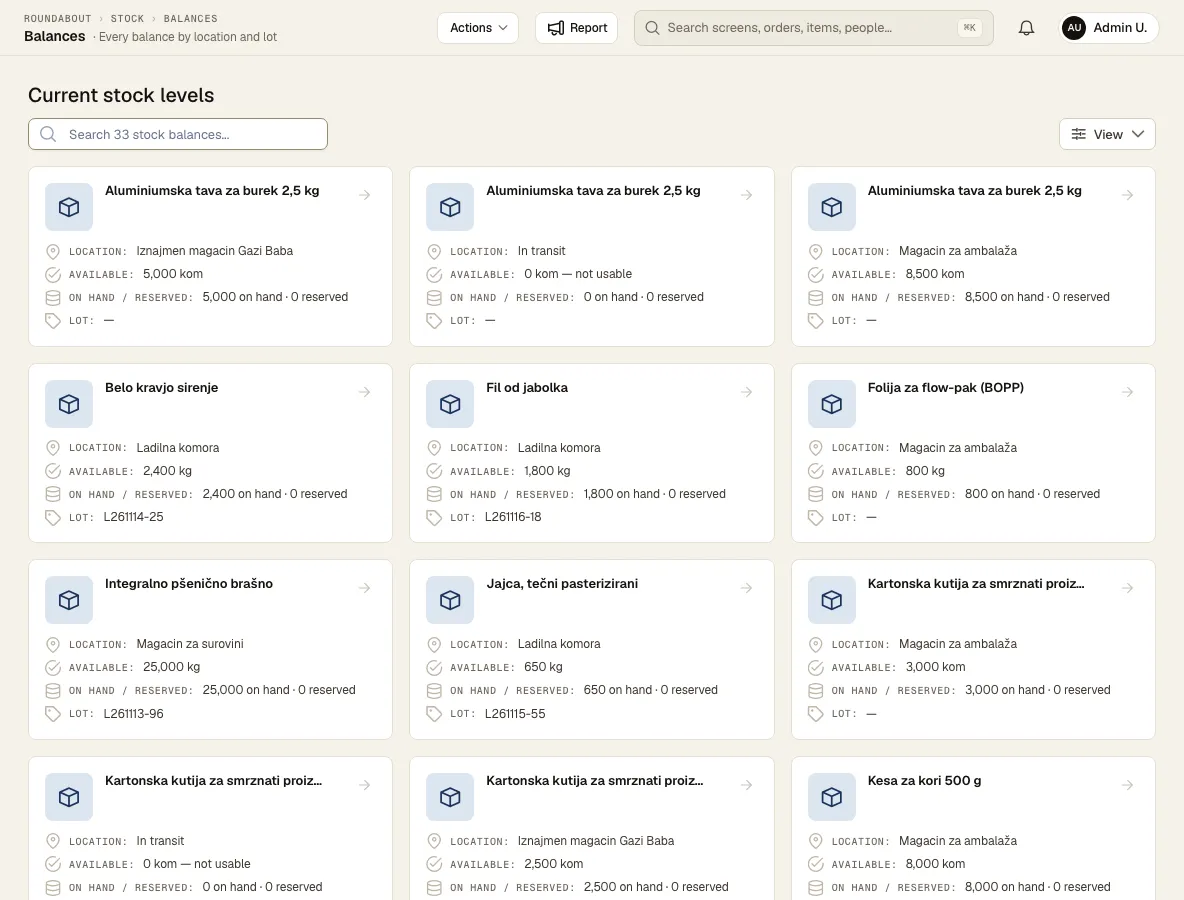
- Available is On hand less what is Reserved for production orders and what is Quarantined. Unless it reads not usable, it is the stock an issue, a transfer or a reservation can take.
- Quarantined counts the units numbered by serial number that are held back. A quarantined lot’s stock is held back as a whole.
- Stock that can’t be used reads not usable, in the warning colour: in a lot that is quarantined or expired, in an inactive location, at a contractor’s premises or on the road between your sites.
- Bin reads — for stock not put away on a shelf.
Click a balance to open its item’s stock page on the Stock screen.
Lots expiring soon
Section titled “Lots expiring soon”Below the list, Lots expiring soon lists the available lots that still hold stock and expire within the next 30 days, or whose date has passed but which the nightly check hasn’t marked expired yet, with each lot’s Lot Number, Material, Expiration, Quantity and Status. It isn’t shown when there are none. Use them first, or write off what you throw away. See Lot.
Still stuck? Write to support@example.com.