Your profile
- Available on
- Trial
- Pro
- Enterprise
- Who can do this
- Open this screenRoles: Everyone who signs in
- Change your own name, and have a password-reset email sent to youRoles: Everyone who signs in
Your profile shows your own account in werkplan: your name, your email, your organisation, your status and your roles. Here you change your name and have a password-reset email sent to you. Everyone who signs in may open it.
You find it in the menu under your name, at the top right of every screen. The screen’s title reads My Profile.
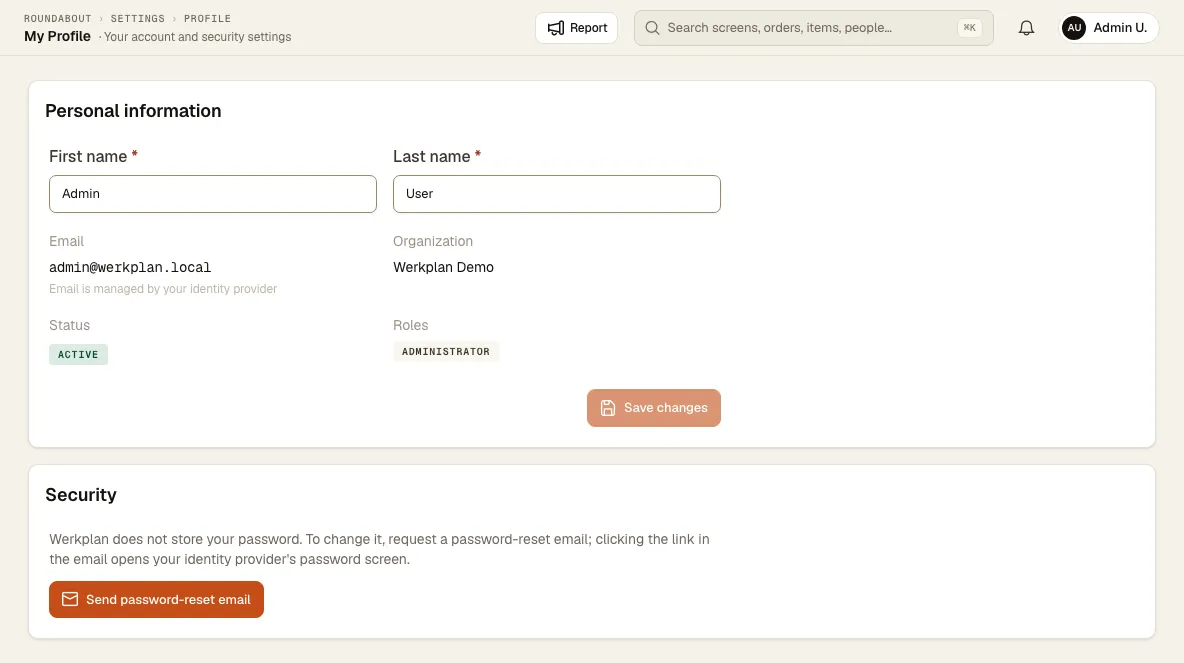
Personal information
Section titled “Personal information”- First name and Last name: how werkplan names you, in the menu and in the history of the records you create or change. Change them and click Save changes. Both are needed.
- Email: your sign-in. You can’t change it here.
- Organization: the organisation you are signed in to.
- Status: Active while you may sign in.
- Roles: the roles you hold, which decide what you may see and do. An administrator gives roles on the Access screen; ask them when you need a screen you can’t open.
Leaving the screen with a change you haven’t saved asks you first.
Security
Section titled “Security”werkplan keeps no password. To change yours, click Send password-reset email and confirm: werkplan emails you a link that opens the page where you choose another password. The link works once, for 12 hours.
Notifications
Section titled “Notifications”The bell at the top right of every screen shows your latest notifications, with a dot while some are unread. werkplan tells you there when something concerns you, such as a swap request to decide when you may approve swaps, a reported exception when you plan, or your own shifts published. Mark all as read clears the dot, and View all notifications opens the full list, where All and Unread filter it. A notification can be marked as read, and one about a record opens it.
Still stuck? Write to support@example.com.