Material requirements
- Available on
- Trial
- Pro
- Enterprise
- Who can do this
- Open this screenRoles: Administrator, Employee
Permission: order:read - Reserve stock for a requirement, or cancel itRoles: Administrator
Permission: order:write - Consume or release a reservationRoles: Administrator
Permission: inventory:write
- Open this screenRoles: Administrator, Employee
The Material requirements screen lists what each production order needs of each material: how much is required, how much has been issued to production and what remains. It brings together the material of every order, which each order’s page shows for itself.
The screen’s heading reads Material Requirements. werkplan records the requirements from each order’s bill of materials; you don’t add them here. See Material requirement for when they are recorded and what each status means.
The list
Section titled “The list”The list shows every requirement, by material name, with its Material, its production order’s Order #, its Status, the quantity Required, Issued and Remaining in the material’s unit, and when it was Created. Remaining reads Fulfilled once everything is issued. Show it as Cards or as a Table, search it by material name or order number, and filter it by Material, Order #, Status and Created.
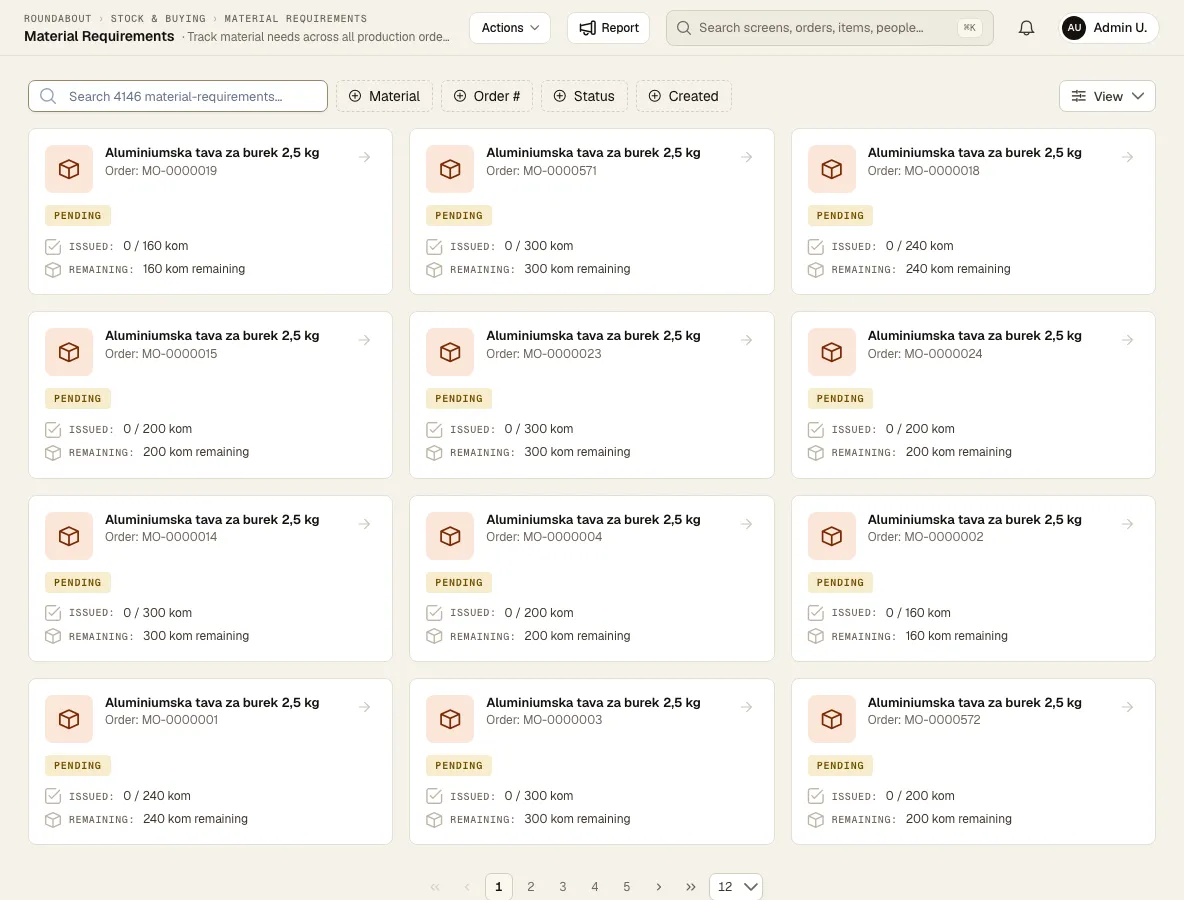
Status is one of Pending, Partially Issued, Issued and Cancelled.
Click a requirement to open its page, where you reserve stock for it, consume or release what is reserved, or cancel it: see Material requirement.
What the requirements change
Section titled “What the requirements change”What remains of each requirement that isn’t cancelled, on a production order past its draft, is demand for its material, less what the order’s sub-assembly orders make of it:
- the Stock screen counts it as committed;
- What runs out next takes it off the stock on its production order’s due date, or today for an order without one;
- Replenishment takes it off the stock position;
- planning waits for it: the work of an order not yet started doesn’t start before the purchased material it still needs is there. See What materials change in planning.
Still stuck? Write to support@example.com.