Production orders
- Available on
- Trialup to 100 production orders
- Proup to 1
- Enterprise
- Who can do this
- Open this screenRoles: Administrator, Employee
Permission: order:read - Add, import or cancel production ordersRoles: Administrator
Permission: order:write
- Open this screenRoles: Administrator, Employee
The Production orders screen lists every production order: what werkplan plans to make, with its status, priority, due date and place in the production sequence. You add, import and cancel orders here, and open an order to see and change it.
A production order asks for one or more products, each a line with its quantity. werkplan raises one for a confirmed sales line that stock and production don’t already cover, and you add your own. See Production order for what each status means.
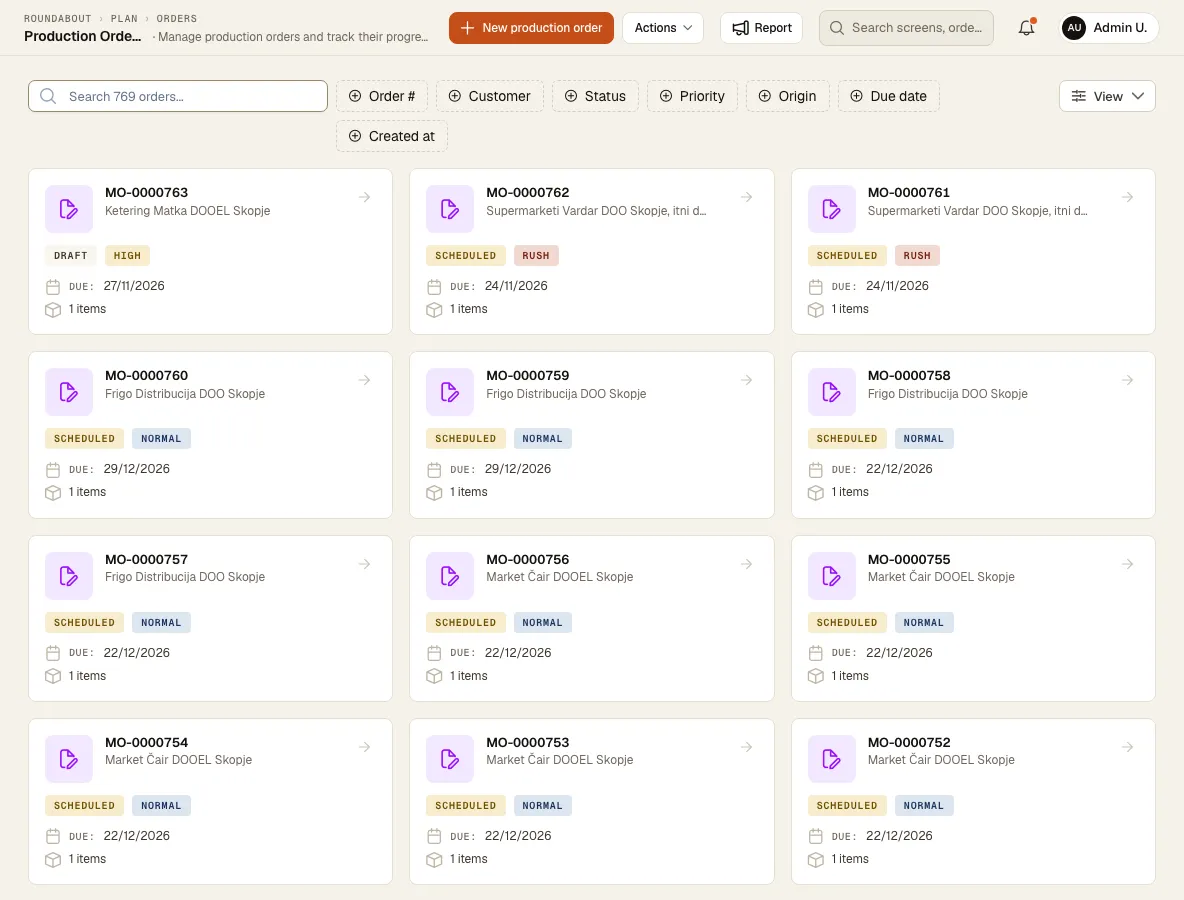
The list
Section titled “The list”In the Table view, each order shows its Order #, Customer, Status, Priority, Sequence (its place on the Production sequence screen, blank while it has none), Origin (from a customer, or Internal for an order werkplan raised to keep stock or make a sub-assembly), Due date, Items and Created at. A card shows its number, customer, status, priority, due date and number of items. Show the list as Cards or as a Table, search it by order number or notes, sort it, and filter it by Order #, Customer, Status, Priority, Origin, Due date and Created at. It shows the newest orders first.
Click an order to open its page.
Add a production order
Section titled “Add a production order”New production order adds an order as a draft, which no plan holds until you submit it. See Add a production order. Each organisation’s subscription tier caps how many production orders it can have: when you add one at the cap, werkplan refuses it and offers Upgrade.
Actions
Section titled “Actions”Actions holds:
- Sequence: the Production sequence screen, where you set your preferred order;
- Export … rows (CSV): the list as a CSV file;
- Import production orders…: production orders from a CSV file, each created Pending, so the next plan holds it; a row whose order number exists updates that order if it hasn’t started.
Cancel several orders
Section titled “Cancel several orders”Select orders in the list and click Cancel selected. werkplan asks you to confirm, then cancels each one it can and says how many it couldn’t. Cancelling can’t be undone: see Cancel a production order.
Still stuck? Write to support@example.com.